Tree view: a MicroVAX 3900 on the Q22 bus
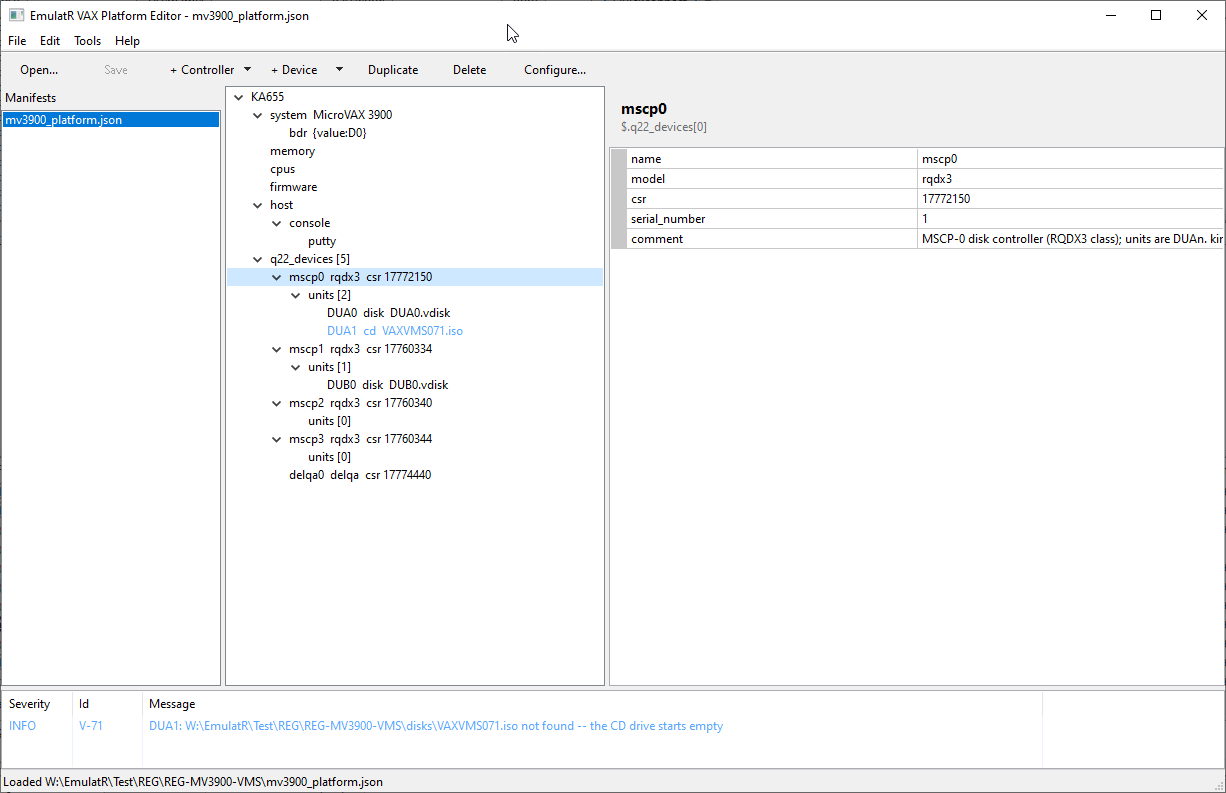
- A VAX system as a tree: the CPU board (KA655 in a MicroVAX 3900), memory, CPUs, firmware, the host console connection, and the devices on the Q22 bus.
- Q22-bus devices: MSCP disk controllers (RQDX3 class) at their CSR addresses, each with its units — disks as virtual disk files, CD drives as ISO images — and the DELQA Ethernet adapter.
- Settings on the right: select a controller or unit to see and edit its values: model, CSR address, serial number and notes.
- VAX toolbar: add controllers and devices, duplicate or delete them; Configure opens the system's settings.
- The same checks: findings are listed by severity, such as a CD image that is missing, so the drive starts empty instead of failing.